If you’re a consultant, having a professional website isn’t just a “nice-to-have.” It’s an essential component of your business strategy that serves as your business card, portfolio, and primary communication hub.
Your website is often the first impression clients get of you, so it needs to look credible, showcase your expertise, and make it easy for people to reach out. Luckily, building a fantastic site doesn’t have to be complicated.
Let’s walk through what you need to know about building a functional website and explore some of the best website builders and tools that can make the process as simple as possible for you.
First, Nail Down Your Brand
Before you start looking at options, take the time to define what makes your consulting business stand out. Here’s what to include in your website:
- About Page: Share your story. Let visitors know who you are, what you bring to the table, and why you’re the best at what you do.
- Services Page: Be clear about how you can help people solve their problems. Clearly outline your consulting services, what makes them unique, and the benefits your clients get from working with you vs other consultants.
- Testimonials: Nothing convinces potential clients more than hearing from others who’ve benefited from your services. Highlight some of your best success stories.
- Blog: Share your expertise through articles. Think about topics that highlight your knowledge and experiences as a consultant that will resonate with your target audience.
- Resources: Consider offering something free (ex: a free 15-minute audit, workshops, ebooks, etc.) that people can try before committing.
- Contact Information: Make it easy for people to reach you. Include your email and social media handles, and consider adding a scheduling calendar so people can quickly book a call. Check out these top consulting software options to make your process more efficient.
Have all this information ready in a Google document or your phone’s notes app to easily organize and copy-paste content when you’re ready to set up your site.
The Top Website Builders for Consultants
Here’s a look at some of the best website builders for consulting businesses.
1. Squarespace
Squarespace is a powerful, easy-to-use website builder that makes creating a professional and visually appealing site straightforward, even if you don’t have design experience.
You can start by selecting a template, signing up for a free trial, and swapping out the default text and images for your own branded content.
Here are some polished, professional Squarespace templates to consider:
Almar: This one offers a fresh, clean design with a built-in “Get Started” button, perfect for linking to your coaching packages or booking options.

Myhra: With its elegant, upscale design, Myhra is a great choice if you want to present yourself as a premium consultant.

Lakshi: Although originally designed for personal trainers, Lakshi’s versatile layout makes it perfect for detailing your consulting services.

Devoe: If you’re looking for something minimal, Devoe is a one-page layout that works well as a landing page. You can include your social links, scheduling page, a newsletter signup, and more.

Noll: Noll is ideal for highlighting client testimonials and making it simple for people to book consultations.

Check out more customizable templates here and start your free trial today.
If you’re looking for even greater customization, consider third-party templates from Go Live. They offer unique Squarespace templates that you can easily adjust to suit your needs. Use code LIFECOACHMAG for 10% off!
2. Wix
Wix is another popular, easy-to-use website builder with many templates and features. It covers everything you need to get your site up and running, from domain registration and hosting to a simple page editor.
If you’re looking for an all-in-one solution, you can try Wix with a free trial to see how it works.
3. WordPress
WordPress is one of the most versatile website builders out there. It’s free, and open-source, and tons of people, from developers to designers and everyday users, rely on WordPress, so there’s a huge community for support.
You have two main paths with WordPress: If you’re up for some DIY, you can set up your site with a hosting plan (something like Cloudways works well) and a WordPress theme like Astra (explore more templates here). Or, you can use WordPress.com, which is a paid, fully-hosted version of WordPress that handles hosting and maintenance for you.
Website Examples to Inspire You
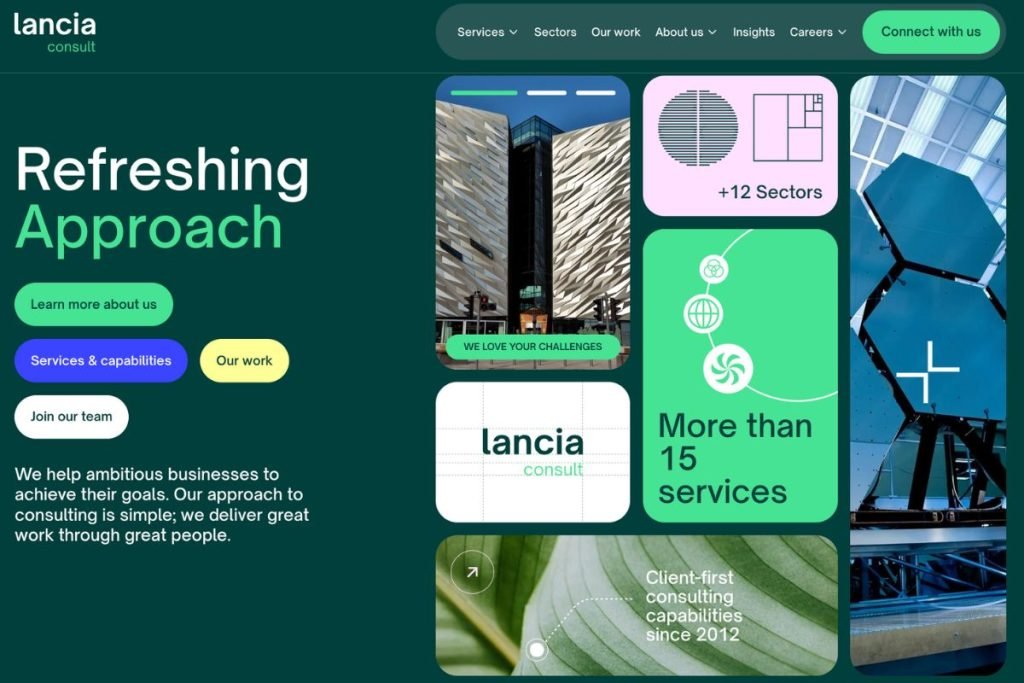
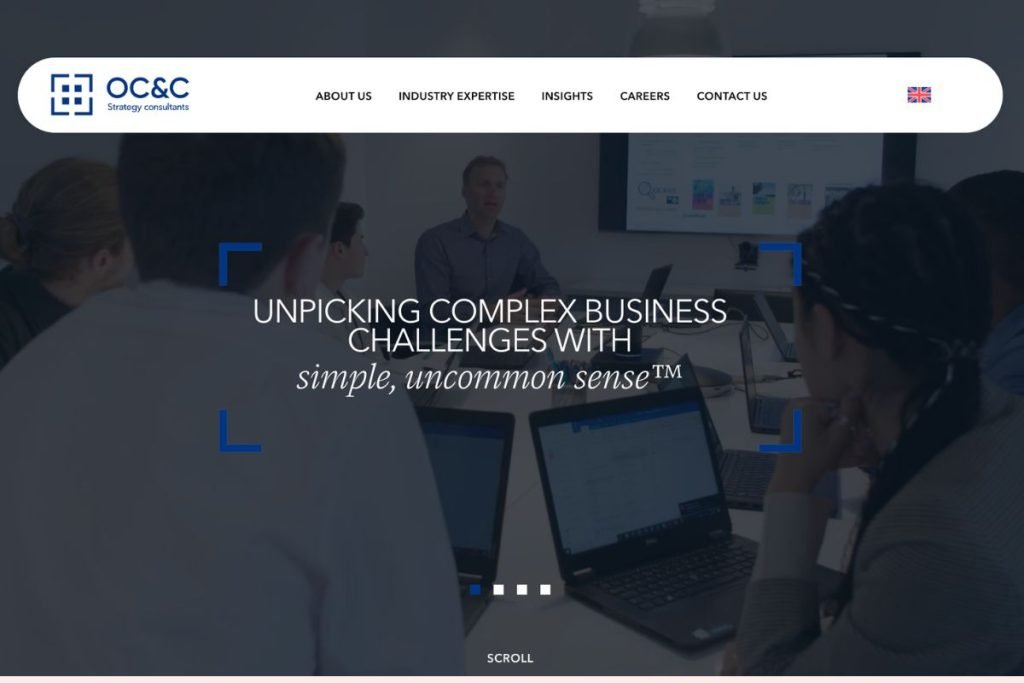
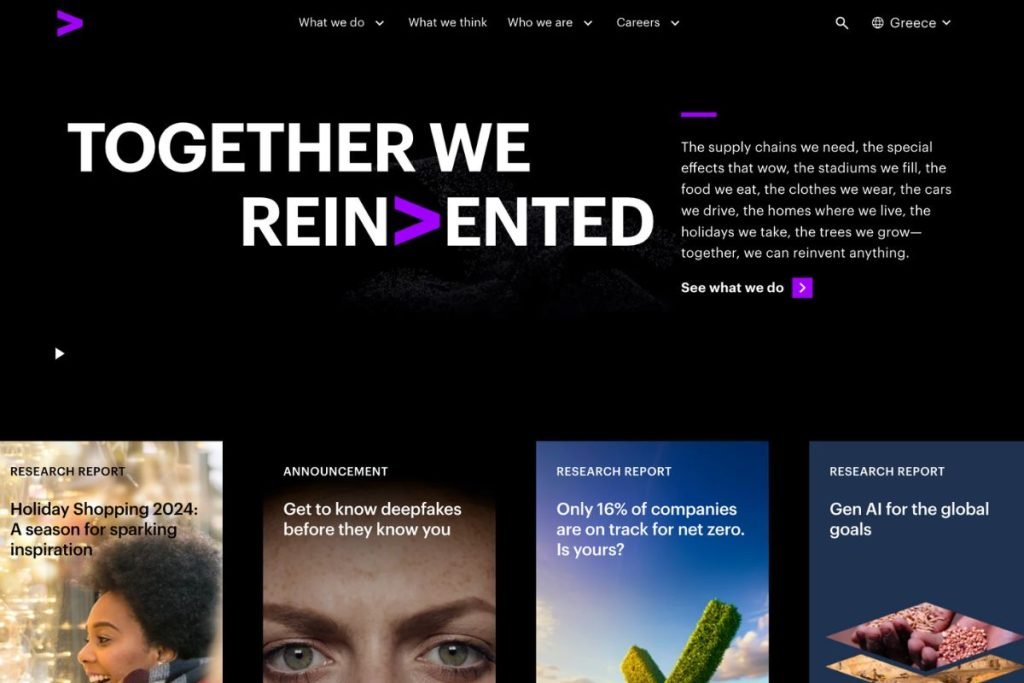
Sometimes, seeing examples helps you figure out what you want (or don’t want). Here are some great consultant websites to check out:
Lancia Consult
Arthur D Little

OC&C Strategy Consultants
Accenture
McKinsey & Company

Wrapping It Up
Creating a professional website doesn’t have to be overwhelming. With the right tools and a clear idea of what you need, you’ll be set up for success in no time.
Whether you choose Squarespace, Wix, or WordPress, there’s a solution that can make the process easy and stress-free. Take that next step toward building a website that works as hard as you do, and start connecting with clients today.

The Life Coach Magazine staff is your team for high-quality content on topics from personal development, to coaching tips, to how to grow your coaching business.